AI can suggest unusual combinations of colors, shapes, and layouts, but the result often builds on recognizable visual patterns. Uniqueness comes from the specific strategy, content, brand identity, and the designer's decisions. The generated version should be refined according to the website's goals and target audience.


Artificial Intelligence in Web Design in 2026: Opportunities, Limitations, and the Role of the Designer
Table of contents
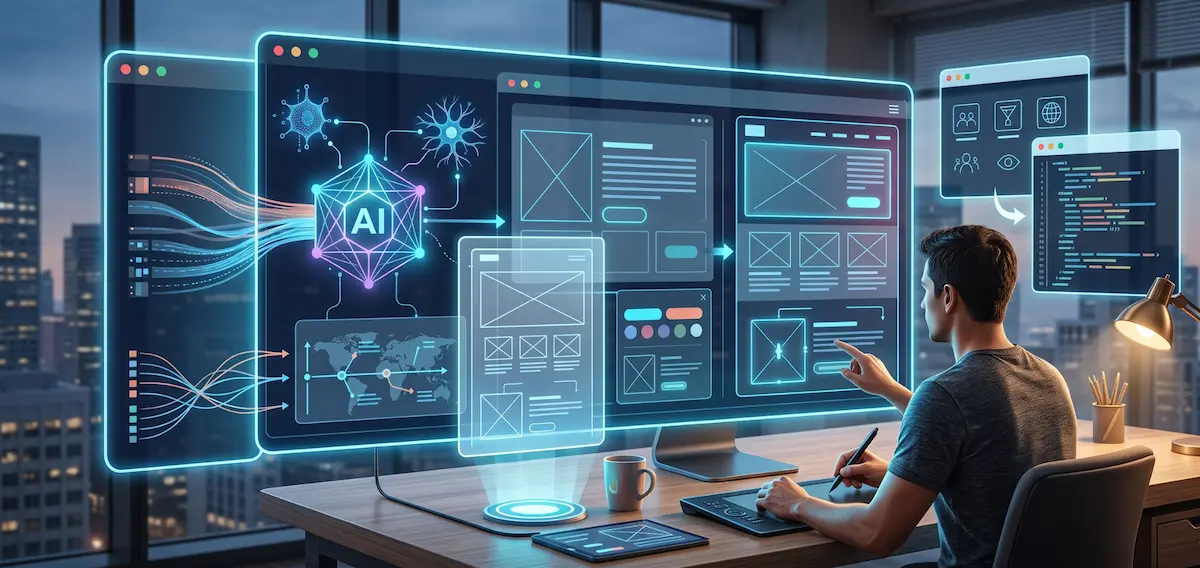
Write a few sentences and AI will suggest a homepage structure, color palette, images, copy, and a working prototype. A process that once took days now starts within minutes.
This might sound like the end of traditional web design. In practice, something different is happening. The designer's role is not disappearing. It is shifting from repetitive execution towards analysis, selection, and control over the final result.
In 2026, artificial intelligence takes part in research, concept development, prototyping, and the preparation of visual assets. The process becomes faster, but a fast result does not automatically mean a good website.
An attractive screen is not the same as a functional product. A website needs to present the business clearly, address user needs, and guide visitors towards a specific action. These decisions still require human judgment.
How AI Is Changing Web Design in 2026
The change goes far beyond image generation. Modern AI tools are involved in almost every stage of the process.
They process research materials, summarize interviews, suggest user flows, and generate initial page concepts. They create components, sample copy, and interactive prototypes. Some tools turn a written description of an idea into initial code.
This shortens the distance between an idea and the first concept. The team sees the direction earlier and evaluates more options before development begins.
Problems arise when the first generated version is treated as the final solution. AI works by recognizing and combining familiar patterns. As a result, its suggestions often look polished but generic. They follow common structures, standard color combinations, and familiar interface patterns.
The result looks like a website. This does not mean it works for the specific business.

Creating a Design With AI: Where Time Is Saved
When creating a design, a large part of the process involves exploring alternatives. The designer prepares different layouts, tests compositions, and checks how individual components work together.
AI speeds up this initial stage. Instead of reviewing one option, the team explores several directions. It can compare different visual hierarchies, section arrangements, and ways of presenting the primary action.
This is useful for:
-
preparing initial concepts
-
generating alternative versions of a section
-
creating sample images
-
adapting content for different formats
-
building initial prototypes
-
testing different color directions
-
preparing draft copy for text and buttons
AI removes part of the repetitive work. The designer gains more time for structure, logic, and the connection between the user's task and the business objective.
This brings value only when a person evaluates the suggestions. Without such control, faster design creation produces many alternatives without producing a clear solution.
Website Design With AI Does Not Start With a Prompt
High-quality website design starts with questions.
Who are the visitors? What are they looking for? What prevents them from making a purchase or sending an inquiry? Which information should they see first? What do they already know about the service? What creates doubt?
AI does not automatically know the answers. If you enter a generic brief, you will get a generic result. A phrase such as "create a modern website for a consulting company" does not contain enough information about the audience, services, advantages, and sales process.
A good prompt therefore does not replace a good brief. It comes after it.
Before visual work begins, the following should be defined:
-
website objectives
-
primary user groups
-
important actions
-
page content
-
connections between individual sections
-
functionality requirements
-
technical limitations
-
brand guidelines
When this foundation is missing, AI fills the gaps with standard solutions. The website looks finished, but it does not communicate the specific value of the business.
Why AI Generates Similar Websites
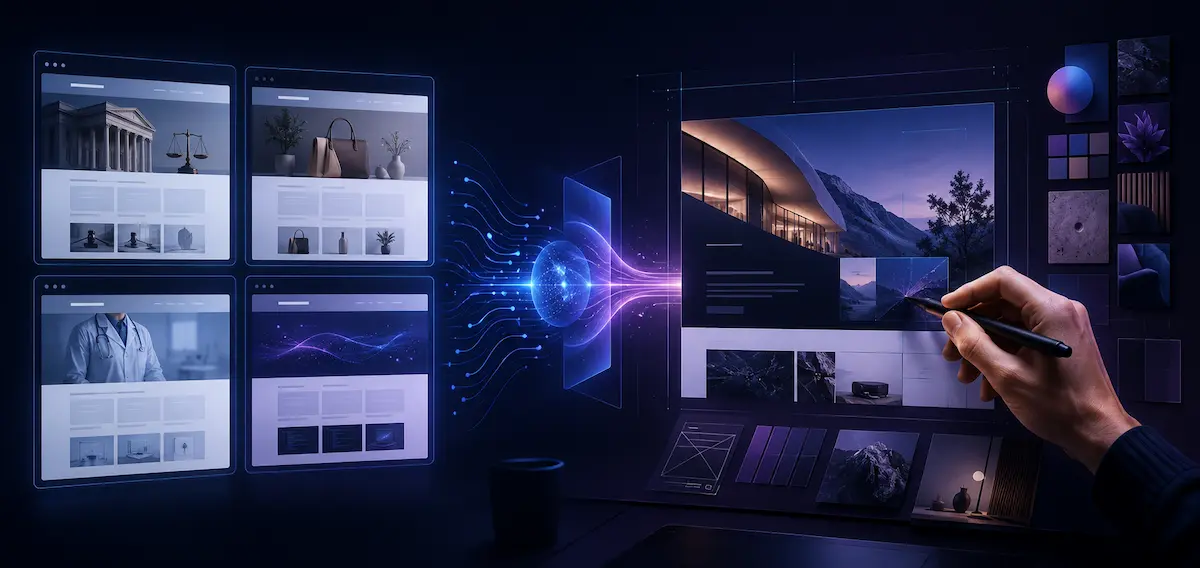
Many AI-generated pages follow the same formula. A large heading, a short paragraph, a primary button, three benefit cards, customer testimonials, and a final form.
There is nothing inherently wrong with this structure. It is familiar and often works. The problem is applying it mechanically to every project.
A law firm, an online store, a medical center, and a software platform have different users and different decision-making processes. The same template will not represent all of these businesses equally well.
AI tends to favor familiar patterns because it has access to more examples of them. A distinctive concept requires context, visual direction, and a sequence of deliberate decisions.
This is where the designer's work becomes more valuable. It is not enough for an interface to look organized. There needs to be a reason for it to look and behave in a particular way.
How the Role of the Graphic Designer Is Changing
The role of a graphic designer is no longer limited to manually producing every visual element. AI generates backgrounds, illustrations, composition alternatives, and initial concepts.
This Does Not Reduce the Need for Visual Literacy. On the Contrary, It Increases It.
When every tool produces dozens of images, the important question is no longer how to produce one more option. The question is which option fits and why.
A graphic designer identifies issues that an automated system often misses. Poor composition, confusing visual hierarchy, inconsistent styling, and unnatural imagery might look acceptable at first glance. Within the broader brand identity, they create inconsistency.
The designer defines the art direction. They decide what stays, what changes, and what should be removed. AI produces material. The human team remains responsible for meaning and quality.

UX Design Remains a Human Task
An AI-generated interface often looks convincing. Organized cards, clear buttons, and modern typography create the impression of a finished product.
UX design requires more than an attractive appearance. It examines people's behavior, expectations, difficulties, and decisions.
An interface works well when the user understands:
-
where they are
-
what they need to do
-
what result they will receive
-
what happens after an action
-
how to correct an error
-
how to go back
AI does not automatically observe a person hesitating in front of a form. It does not understand why a visitor overlooks an important button or why a particular description creates distrust. Reaching such conclusions requires analysis, conversations, testing, and observation.
AI processes collected information and identifies recurring patterns. Interpreting what those patterns mean remains part of the UX process.
Trust and Control in AI Interfaces
With a standard website, users expect predictable actions. They press a button and open a page. They complete a form and receive confirmation.
AI systems produce less predictable results. The same question sometimes leads to different answers. The system makes mistakes and occasionally presents inaccurate information with confidence.
For this reason, the design of an AI feature should establish clear boundaries. Users need to understand when they are interacting with an automated system, what information it processes, and how to correct the result.
A polished visual presentation should not create blind trust. A smiling character, friendly tone, and smooth animation do not replace transparency.
A good AI interface gives users control. It supports editing, going back, reviewing the information used, and confirming important actions. When an error occurs, the interface explains what happened and what the user should do next.
Building a Website With AI: Where the Limitations Are
When building a website, AI produces an initial structure, components, and code. This is useful for prototypes and smaller tasks. A finished business website involves much more.
Responsive behavior, speed, accessibility, SEO structure, content management, and connections with external systems all require planning. Forms need proper data validation. An online store needs to handle product variations, orders, payments, and different states.
Generated code often appears functional during an initial test. Problems emerge later when content is edited, new sections are added, or another system is connected.
Inconsistent components make maintenance harder. Excess code slows pages down. Missing states create errors during real-world use.
AI therefore serves as an assistant in the website development process, not as a replacement for technical planning, development, and QA testing.
What Businesses Gain From AI in Web Design
A well-organized process brings several clear benefits.
The team reaches the first prototype earlier. This makes discussion easier and helps identify a poor direction before development starts.
The designer explores more ideas within the project. Not every idea reaches the client. A broader selection helps the team identify the right solution.
Repetitive tasks take less time. These include preparing alternatives, processing images, and organizing information in the early stages.
Communication between design and development becomes faster when the team works with an interactive prototype and clear component rules.
These benefits do not come from the tool itself. They depend on the process around it. Without a good brief and proper control, AI also accelerates the wrong direction.

How to Include AI in the Design Process
Start with the problem, not the tool. Define what the website needs to solve and how the result will be measured.
Then gather context. Prepare information about the audience, services, competitors, content, and limitations.
Apply AI to specific tasks. Ask for alternatives for a user flow, page structure, or visual direction. Avoid assigning the entire project through one generic description.
Review every result. Test the logic, content, responsive behavior, and accessibility.
Work with real copy and realistic data. Placeholder headings and identical cards hide problems that appear after publication.
Keep human decision-making at every important stage. AI provides alternatives. The team sets the direction.
What Still Belongs to the Designer
AI will continue to shorten parts of the production process. The difference between an average product and a good one will not be the number of generated alternatives.
It will be the quality of the decisions.
The designer understands context, asks the right questions, and identifies inconsistencies. They connect user needs with business objectives. They decide what matters and what gets in the way.
In 2026, the value of a designer is not measured only by how quickly they produce a screen. It is reflected in their ability to make the right choice among many possible directions.
AI takes part in the work. People determine the direction.
Do You Need Website Design or Development?
At Studio Kipo, we combine UX and UI processes, visual design, and development. We apply AI where it reduces repetitive work and supports the exploration of different options. Structure, user experience, and important decisions remain under the control of our team.
Request a quote to discuss the design and development of Your website.
Share


FAQ:
Can AI Create a Completely Unique Website Design?

Is It Safe to Enter Company Information Into AI Tools?
Not all information should be shared with an external AI platform. Customer data, passwords, contracts, unreleased products, and internal documents require strict control. The team should understand the rules of the tool being used and work only with information approved for processing.
Is AI Suitable for Every Website Development Project?
AI does not provide the same value for every task. It is useful for research, exploring alternatives, and creating initial prototypes. For complex systems, specific workflows, sensitive data, and strict requirements, stronger human oversight is required. The right approach depends on the scope, risk, and goals of the project.
Who Owns Images and Visual Elements Created With AI?
The terms depend on the tool being used, its license, and the way the material was generated. Some platforms allow commercial use, while others impose restrictions. Before publishing, review the terms of use and the origin of the images, fonts, and other visual materials included in the project.
How Does AI Affect Website Accessibility?
AI can identify some issues related to contrast, text, and structure, but automated checks are not enough. Testing with a keyboard, screen reader, text enlargement, and real devices is still necessary. Accessibility should be considered during the design process rather than added after the website is finished.
How Can You Tell Whether an AI-Generated Design Is Right for Your Business?
Evaluate it according to specific user tasks rather than the first visual impression. Check whether visitors understand the offer, find the important information, and reach a contact or purchase action easily. Then test the solution with real content and representatives of the target audience.
About the author

Petya is a Web & UI Designer with 10+ years of experience and an exceptional eye for detail and pixel-perfect execution. She systematically works with design systems, typography, and micro-animations, turning complex requirements into clear, elegant interfaces ready for a seamless developer handoff.
Related articles
How can you tell if your website needs a redesign?
How to tell whether your website needs a redesign
A website is often the first place where a client meets your business. If the website looks outdated, loads slowly, or does not guide the user toward a clear action, the problem is not only visual. This affects trust, inquiries, sales, and SEO results.
A redesign does not mean only a new visual appearance. ...

Kris
May 21
·
16 minute reading
How to choose a company for mobile app development
Choosing a company for mobile app development is a decision that affects the entire project. It is not only about design, programming, and price. What matters is who will plan the product, how the process will be managed, how the app will be tested, and how it will develop after publishing.
A mobile app is a working digital product. It needs to solve a ...

Niki
May 18
·
15 minute reading
7 Basic Design Principles Everyone Should Know
Good design isn't just a matter of taste. It follows clear rules that help people understand information more easily, find their way around more quickly, and make decisions without unnecessary stress. This applies to websites, online stores, mobile apps, advertisements, presentations, or corporate branding.
When the design is well-organized, the user doesn’t wonder where to look or ...
Petya
May 8
·
13 minute reading