Mobile checkout is the process of completing an order on a mobile device. It includes entering user details, choosing delivery and payment options, and confirming the order.


Mobile Checkout Optimization: UI Solutions That Work
Table of contents
When the user has already selected a product and reached the final step, many online stores assume the sale is guaranteed. This is exactly where orders are often lost. The reason is rarely the product or the price. More often, the problem lies in the mobile checkout itself. If the process is slow, confusing, or demanding, the user gives up right before the finish. That is why good UI in this part of the journey has a direct effect on conversions.
Why mobile checkout is so important for conversions
More and more purchases start and end on mobile devices. This means the final step of the order process must be adapted to a small screen, shorter attention span, and lower patience. If a form is long, if the buttons are inconvenient, or if the price is unclear, the chance of abandoning the order increases immediately.
In mobile checkout, every extra effort is costly. One extra screen, one unclear message, or one awkward field can interrupt the order. That is why this part of the online store should not be treated as a formality. It is a critical moment where UX decisions directly affect sales.
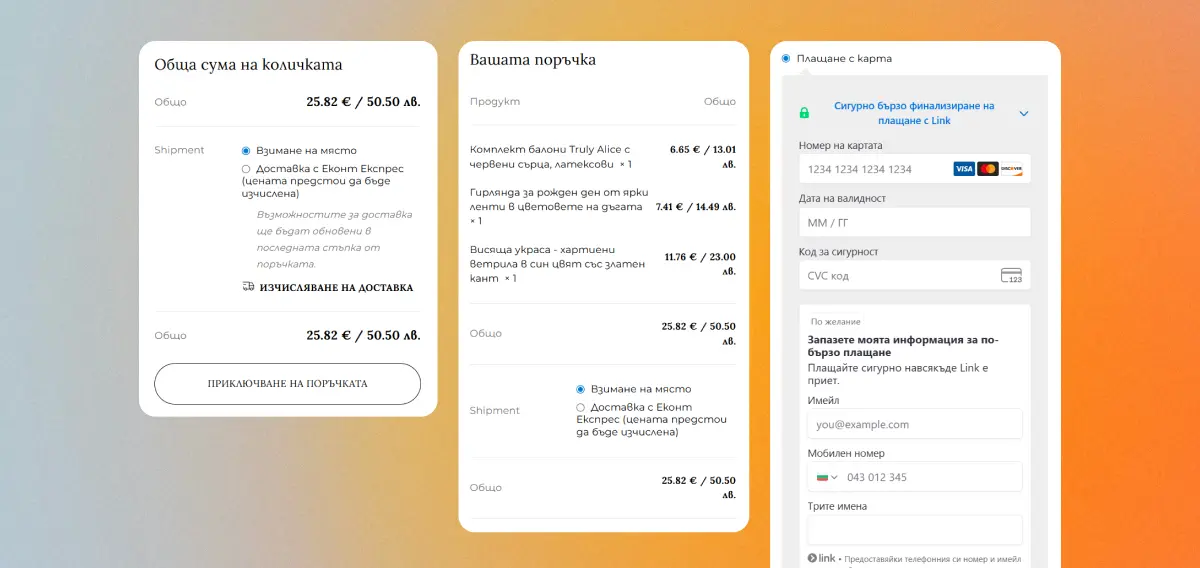
What a good mobile checkout page looks like
A good mobile checkout is clear, short, and predictable. The user should quickly understand what is expected of them, how many steps are left, and what the final total is. The interface should help, not make the user think unnecessarily.
This means a logical order of fields, convenient buttons, clearly displayed pricing, visible shipping and payment methods, and minimal visual noise. Every element should have a specific role. If it does not help complete the order, it is better not to have it there.
The most common problems in mobile checkout
Too many fields and unnecessary steps
Many checkout flows require more information than is actually needed. The user fills in long forms, goes through many screens, and faces questions that are not critical for the order. This makes the process slow and demanding.
Weak visual hierarchy
When everything looks equally important, the user struggles to orient themselves. It is not clear which field is required, which button moves the process forward, and which information matters. This increases friction and delays the decision.
Inconvenient buttons and unclear call-to-action elements
On a mobile device, the continue button should be visible, easy to tap, and clearly worded. If it is small, hidden, or has unclear text, the user hesitates. This is especially problematic in the final steps of the order.
Difficult error correction when filling in fields
Many systems show an error but do not clearly explain where the problem is or how to fix it. If the user has to figure out what is wrong on their own, the chance of dropping off is high.
Unclear final price and hidden costs
One of the most common reasons for abandonment is the appearance of extra costs at the last moment. If the delivery price, cash-on-delivery fee, or another charge appears too late, trust drops immediately.
Poorly presented payment methods
When convenient payment methods are not shown clearly or are missing, the user starts to hesitate. This is especially important on mobile devices, where speed and convenience carry more weight.
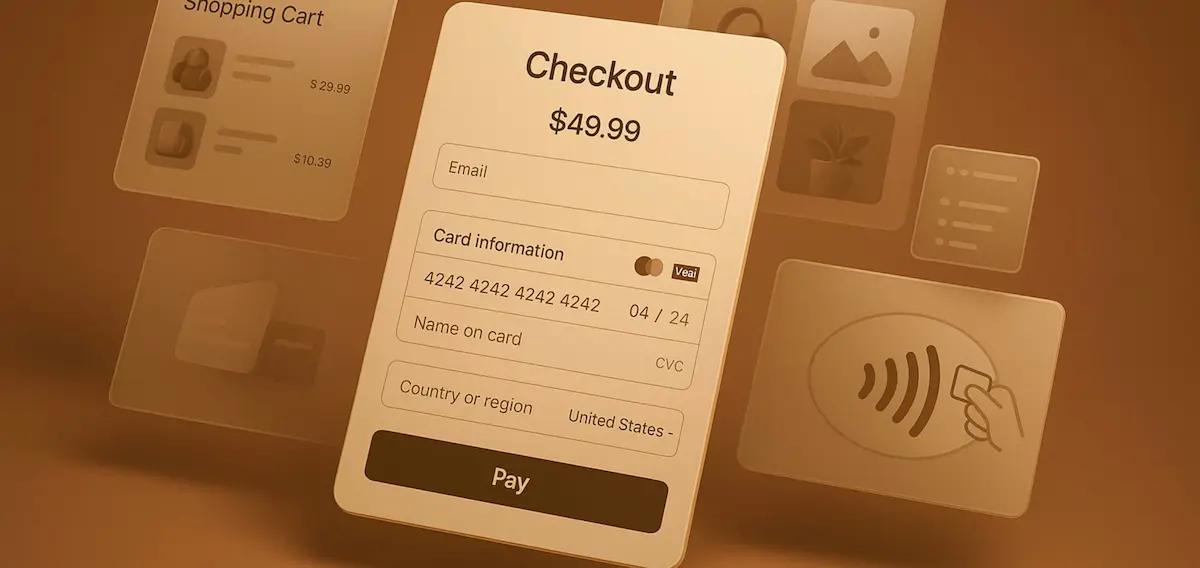
UI solutions that work for a better mobile checkout
Reduce the process to the essentials
Remove all fields that are not required to complete the order. If something can be requested later, do not place it on the checkout page. The shorter the process, the lower the burden on the user.
Use autofill and smart input solutions
Autocomplete, the correct keyboard type, automatic phone number recognition, and address assistance save time and effort. It is a simple change, but the effect is often significant.
Make the main button clear and easy to tap
The main button should be visible immediately. It should be large enough, have strong contrast, and clear text. On larger screens, a sticky button that remains visible while scrolling also works well.
Show important information at the right moment
The user should be able to easily see what they are buying, what the final total is, what the delivery cost is, and what comes next. If this information is hidden or scattered, the process becomes uncertain.
Offer a quick order option
Mandatory registration is one of the most common barriers in mobile checkout. In most cases, the better solution is to complete the order first and then offer account creation.
Build trust through the interface
Clear labels, an organized layout, stable visual logic, and visible security signals help the user feel at ease. This does not require many elements. It requires the right elements in the right place.
Make form errors easy to fix
The error message should be clear, short, and connected to the specific field. The field should be visibly highlighted, and the correction should happen quickly. The user should not have to start over because of one small mistake.
How to structure the checkout screen properly
The layout of the screen is just as important as the content. The most logical order is the one that follows the user’s thinking. First personal details, then delivery, then payment, and finally confirmation with a clear final price.
The order summary should be easy to access. It does not always need to take up a large part of the screen, but it should be visible without effort. Shipping and payment methods should be clear, and visual noise should be kept to a minimum. The cleaner the screen, the easier it is to make a decision.
How the interface affects trust during purchase
At the final step, the user is not only evaluating convenience. They are also deciding whether they can trust the store. If the interface looks unstable, if the price is unclear, or if there is no sense of security, the risk of abandonment increases.
Well-written labels, clear microcopy, the absence of surprises, and a professional-looking screen matter a great deal. Sometimes these small details are exactly what determine whether the order will be completed.
Life hack
Open the checkout process on your phone and try to place a test order using only one hand. If you need to zoom in, search for the continue button, or go back, your mobile checkout is creating unnecessary friction. This is a quick and easy way to spot UI problems that often remain hidden when reviewed on a computer.
What to measure after optimizing mobile checkout
Optimization should not be done by intuition. After every change, it is important to look at concrete data. The most important among them are step drop-off, the percentage of completed orders on mobile devices, and the time it takes to complete an order.
It is also useful to track form errors, guest checkout usage, and preferred payment methods. This will show you which changes actually work and where friction still exists in the process.
When a partial update is enough and when a full redesign is needed
Not every problem requires a full redesign. Sometimes a few well-chosen UI improvements make a visible difference. This could be a better button, a shorter form, a clearer price, or a better screen layout.
When the problems go deeper, small changes are not enough. If the logic of the checkout process itself is flawed, if the mobile version is weak, or if the system has technical limitations, then the better move is a more serious redesign.
Common mistakes when optimizing mobile checkout
A common mistake is copying desktop logic into the mobile version. This rarely works well. Another mistake is adding many visual elements with the idea that the screen will look more modern. In reality, this often makes navigation harder.
Mandatory registration, aggressive pop-ups, and hiding important information such as price, delivery, or time frame are just as problematic. In checkout, simplicity almost always works better than complexity.
How to approach mobile checkout optimization
A good mobile checkout is not just about appearance. It is a combination of clear UI, proper UX, less friction, and continuous measurement of results. The goal is not for the screen to look prettier, but for the user to complete the order more easily and with more confidence.
When this part of the online store is well thought out, the effect is often visible directly in conversions. That is exactly why mobile checkout optimization is one of the most practical and valuable steps for any online store that wants more completed orders.
Share


FAQ:
What is mobile checkout?

How many steps should a good mobile checkout have?
There is no universal number, but the rule is simple. The process should have as few steps as possible without losing clarity. Every unnecessary step increases the risk of abandonment.
Should registration be mandatory?
In most cases, no. Mandatory registration often stops the user at the most important moment. Guest checkout is usually the better solution.
What makes a mobile checkout convenient?
A clear structure, a short process, easy form completion, a visible next-step button, and a clearly displayed final price. The user should be able to orient themselves quickly and complete the order without unnecessary effort.
How can I tell where users are dropping off?
The best way is through data analysis. Track drop-off by step, time to complete the order, form errors, and the percentage of completed orders from mobile devices.
Why is mobile checkout so important for an online store?
Because it is the final and most critical step before purchase. If the process is inconvenient, slow, or confusing, the user may abandon it right before the finish.
Is one-page checkout better than a multi-step checkout?
It depends on the structure and complexity of the order. For shorter and well-organized flows, one-page checkout can work well. For more complex orders, a clearly structured multi-step checkout is often more convenient.
What are the most common problems in mobile checkout?
The most common issues are too many fields, unclear buttons, weak visual hierarchy, errors that are difficult to fix, hidden costs, and an inconvenient choice of payment or delivery options.
How does the interface affect trust during a purchase?
The interface has a direct effect. If the checkout looks organized, clear, and stable, the user feels more confident. If it feels chaotic or unclear, doubt appears even before payment.
When is a full redesign of the checkout process needed?
When the problems are not only visual, but are rooted in the logic, structure, and technical implementation of the checkout itself. If there is high abandonment, poor mobile behavior, and small fixes are not helping, a more serious redesign is probably needed.
About the author

Dani is a UX/UI Designer with 10+ years of experience. His strength and focus are UX frameworks and design systems, with deep expertise in Figma. He works with user flows, wireframes, and component libraries to ensure a consistent UX and fast product evolution. He combines user empathy with a clean visual style and detailed prototyping to drive higher conversion and lower cognitive load.
Related articles
How to upload a mobile app to Google Play in 2026
Creating your own software is an engaging process. You have invested weeks, perhaps months, in concept, design, and code, and now the important moment is approaching. Your new mobile app is ready to reach the world, or at least the screens of millions of Android users.
But how does it reach them? The path from completed code to the “Download” button in Google Play Store goes ...

Niki
Jun 10
·
9 minute reading
How to choose a company for mobile app development
Choosing a company for mobile app development is a decision that affects the entire project. It is not only about design, programming, and price. What matters is who will plan the product, how the process will be managed, how the app will be tested, and how it will develop after publishing.
A mobile app is a working digital product. It needs to solve a ...
Niki
May 18
·
15 minute reading
When Does a Business Really Need a Mobile App?
Many companies view a mobile app as the natural next step after a website. This isn’t always the case. For some businesses, it can deliver real value in the form of increased sales, greater customer loyalty, and a better user experience. For others, it’s a hasty investment that duplicates the website and doesn’t solve a specific problem. The real question isn’t whether it sounds good, ...
Niki
May 1
·
17 minute reading